
For businesses and organisers in Japan and Nepal
Tickets, shop and books in one place.
Upload your poster and AI sets up your ticket page. POS, stock and accounts are here too.
Bought a ticket? You do not need an account here. Open the link in your ticket email.
- AI sets up your event from a poster
- Free trial for ticket sales, no card
- English, Nepali and Japanese
KYCSoft AI
Your event, set up by AI.
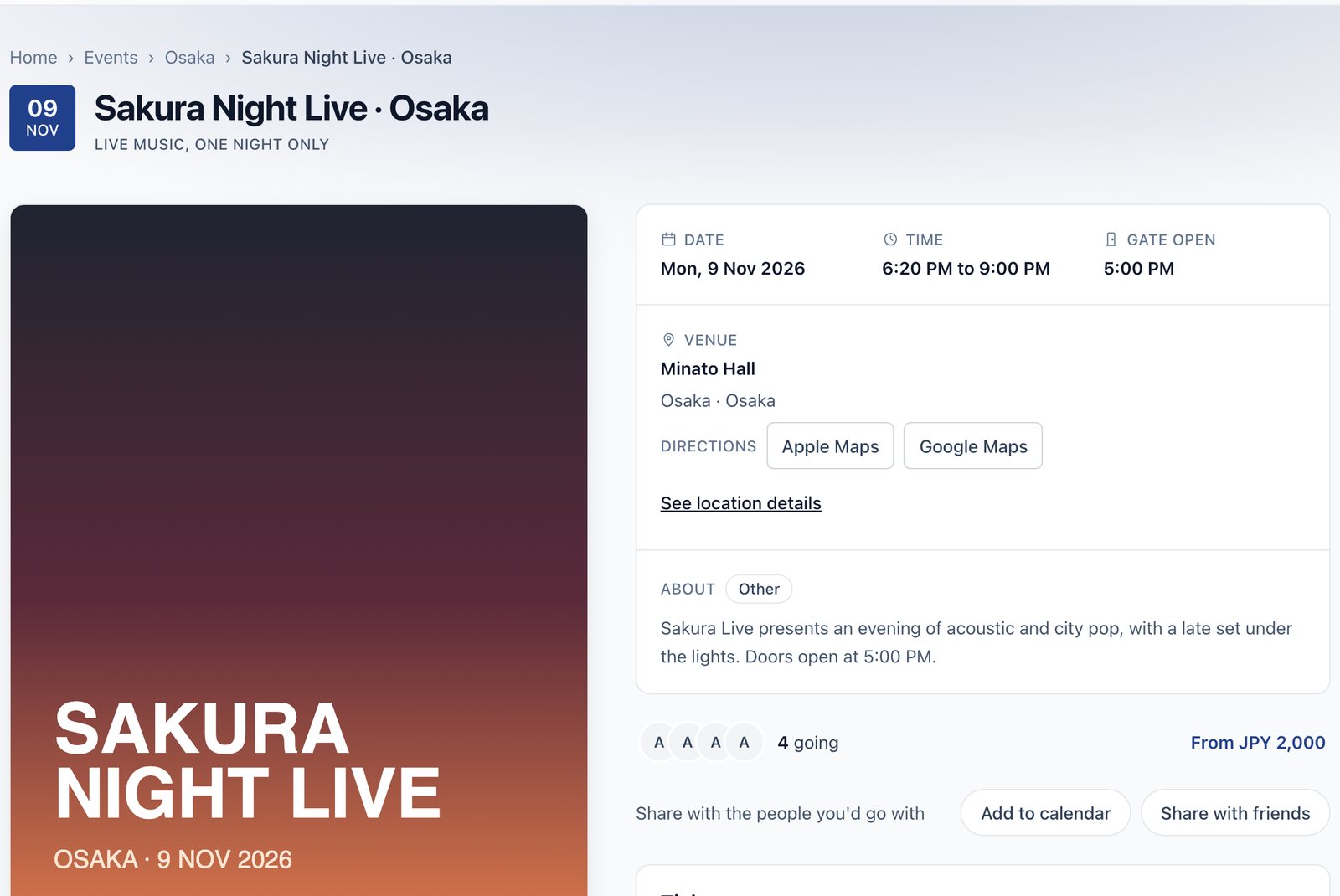
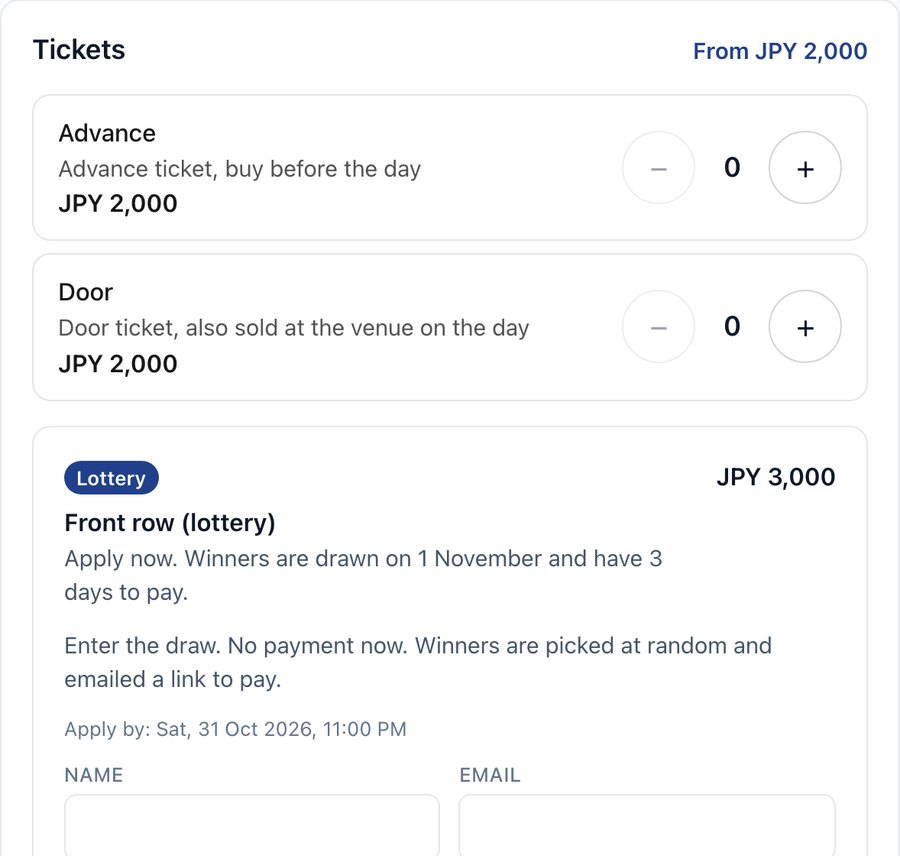
Upload your poster. KYCSoft AI fills in the event page, the ticket types and prices, the venue with its map and directions, and your legal pages from your company documents. You check every field; nothing is published until you approve.
- Poster to event page: title, dates, venue, tickets
- Company documents to legal pages and About us
- Venue name to address, map and directions
- Anything it is not sure of is marked, never guessed
Made for
- Concerts and festivals
- Seminars and meetups
- Restaurants and cafes
- Retail shops
- Wholesale and trading
- Service businesses
One workspace for the whole business.
Switch on what you need. Everything shares the same customers, products and books.
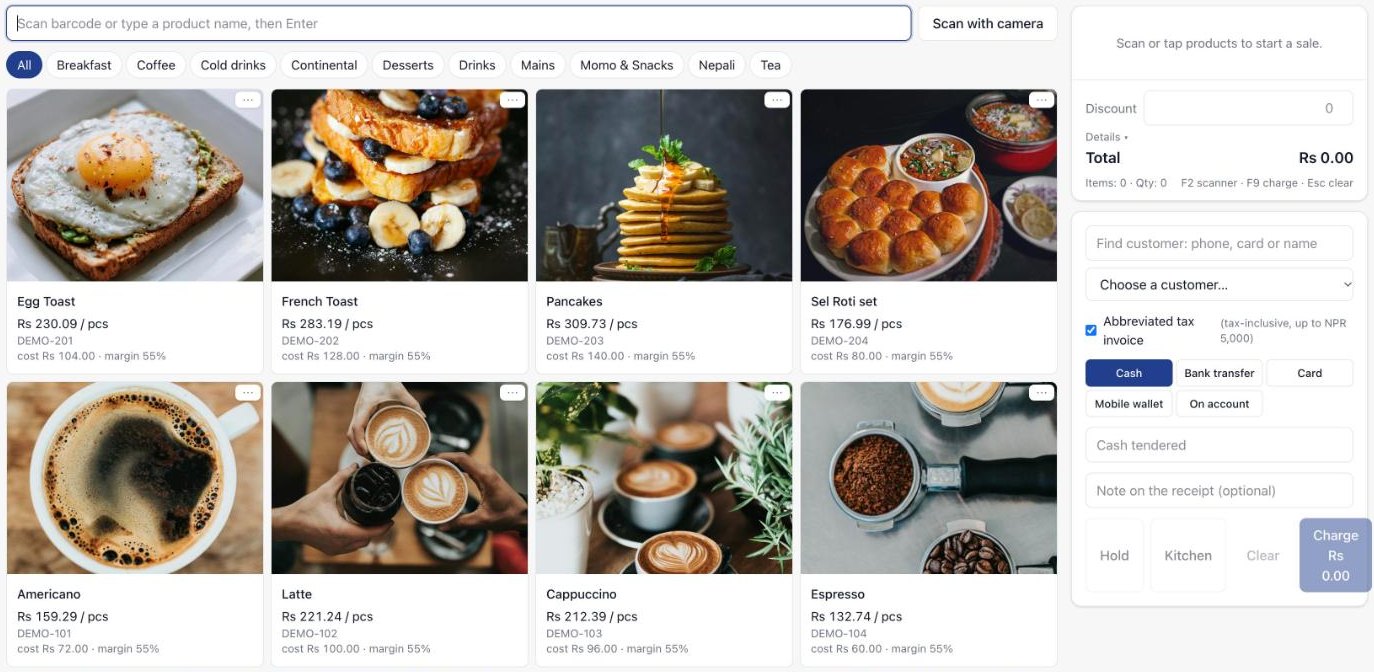
Point of sale for shops and restaurants
Tap products with photos or scan a barcode, take any payment, and run tables and kitchen tickets.
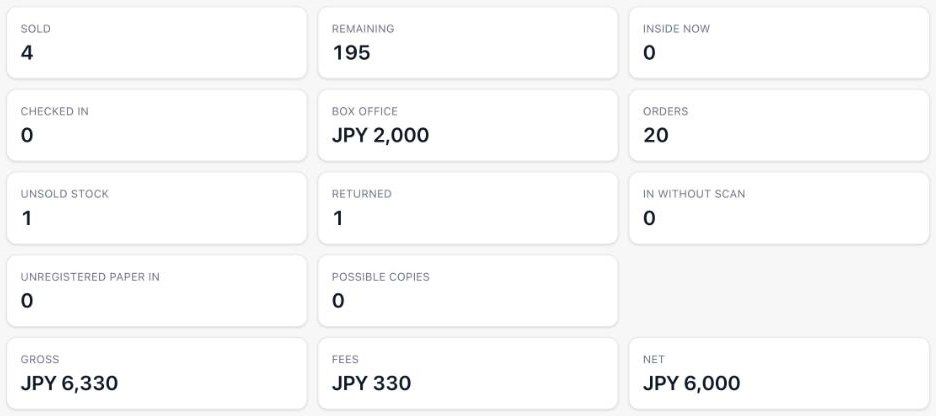
Live event sales
Sold, remaining, checked in and money, as it happens.
Invoicing and accounting
Built in, and kept up to date by every sale.
- · Quotes, invoices and credit notes
- · Ledger, bank reconciliation, tax registers
- · Nepal VAT and Japan qualified invoices
Stock and warehouses
Every movement counted, average cost and valuation, low-stock alerts.
Online payments
Customers pay invoices and tickets online, and the payment lands in your books.
Payroll and HR
Salaries, attendance and leave for your team.
English, Nepali, Japanese
For your team and for your buyers.
Approvals and audit log
Maker-checker approvals and a record nobody can rewrite.
Built for the rush.
The minute tickets go on sale is when ticketing breaks. These are the rules our system never bends.
- 01
Never oversold
Every seat is claimed in one step in the database. Two buyers cannot both get the last one, even in a rush.
- 02
No double charges
A ticket is issued only after the payment is confirmed with the payment network, and a repeated confirmation is recognised.
- 03
Numbers you can trust
Sales, seats and check-ins are counted from the tickets themselves every time. Nobody, not even us, can hide or add a ticket.
- 04
Tickets that cannot be copied
Each QR code is signed on our servers. A reprinted, voided or refunded ticket stops working at the door.
- 05
One entry per ticket
A ticket gets in once, across every door and every phone, even offline. A second try is caught.
- 06
Sales land in your books
Each paid order becomes an invoice and a payment in your accounts, with the fee on its own line.
From first call to first scan
- 1
Upload your poster
AI fills in the event, tickets, venue and legal pages. You check and approve.
- 2
Publish your page
Announce it straight away. Paid tickets open as soon as payments are ready.
- 3
Sell and scan
Watch sales live, scan at the door, get paid after the show.
Your buyers' details and your money, kept safe.
Read how we store, protect and delete data in our Data Policy.
- Two-step verification for every operator account
- Payment and login keys encrypted at rest
- An audit log that cannot be edited or deleted
- Nightly backups, read back and verified
- Staff see only what their role allows
- Encrypted connections everywhere (HTTPS)
Questions
Can I announce an event before payments are set up?
Yes. Publish the page now; paid tickets show as coming soon and open once payments are ready. Free tickets work from the start.
How do buyers pay?
In Japan by card, at convenience stores or by bank transfer. In Nepal by Khalti or eSewa. You choose the methods for each event.
What does it cost?
Event ticketing is set up with you on contract, with a per-ticket fee on paid tickets. Talk to us for a quote.
Do door staff need special devices?
No. Any phone with a camera scans tickets, and it keeps working if the venue network drops.
Can I use my own domain and brand?
Yes. The event page carries your name, logo and colours, on our address or your own.
Can I also run invoicing and accounts here?
Yes. The same workspace handles invoices, POS, stock and accounts. To try them, please contact us.
Selling tickets?
Try ticket sales free, no card needed. Or tell us about your event and we will set it up.
Running a business?
To try the business tools (invoicing, POS, stock and accounts), please contact us.